
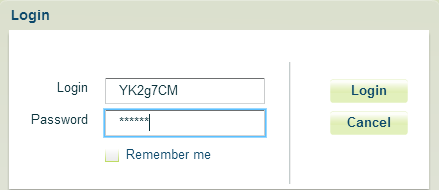
Step 1: Login to your Hosted PBX portal
http://www.calncall.com/login/login-hosted-pbx/
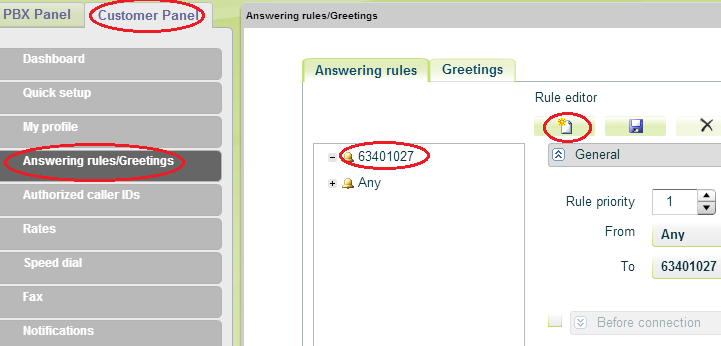
Step 2: Go to Customer Panel >Answering rules > Select the DID number > Create New rule
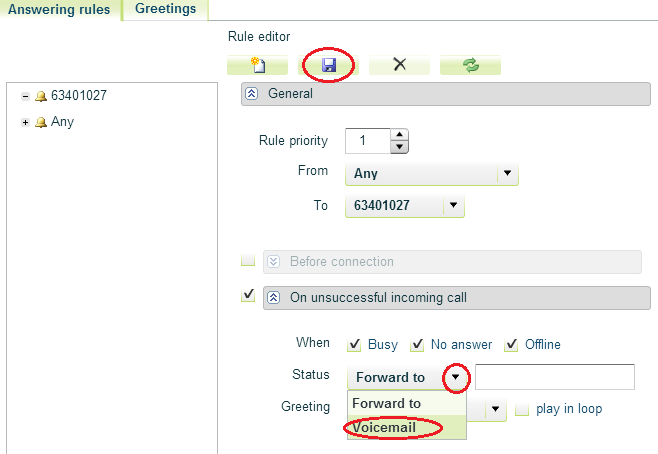
Step 3: Then Select “Voicemail” option under “On unsuccessful incoming call” and then click “Save”.
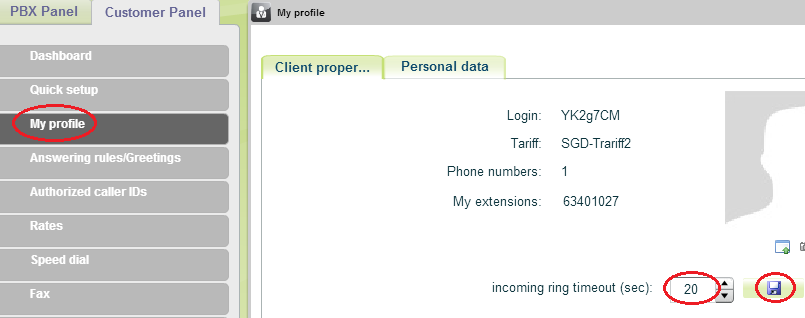
Step 4: Then you need set incoming ring timeout. Go to My Profile and set the incoming ring time.
Step 5: To access voicemail, please dial 950.
